Generating Mind Map...
Mind Map Wizard runs locally with your own OpenRouter API key.
AI Content may display inaccurate or offensive information

Double-Click to Edit Text

Double-click on any node to edit its text. Start typing once the cursor appears.
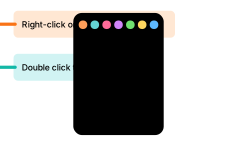
Right-Click for Options

Right-click on a node to access options such as adding or deleting branches.

Long press for AI summary

Long press on a node to generate a short AI summary.

Customization Options

Mind Map Branch Branch
Node Notes
Diving deeper...
Revert Changes
API Key License AI Features Clear History

Created by Linus Schärli — licensed CC BY‑NC 4.0

This work is licensed under a Creative Commons Attribution-NonCommercial 4.0 International License.

You are free to:

  • Share — copy and redistribute the material in any medium or format
  • Adapt — remix, transform, and build upon the material

Under the following terms:

  • Attribution — You must give appropriate credit, provide a link to the license, and indicate if changes were made. You may do so in any reasonable manner, but not in any way that suggests the licensor endorses you or your use.
  • NonCommercial — You may not use the material for commercial purposes.

Keyboard Shortcuts

K Search through all generated mind maps
E Edit the current mind map
R Regenerate the current mind map
D Download the current mind map
F Center the current mind map on screen